[ AI / CYBERSECURITY ]
From Packet to Prompt
M.Koffi
MAR 14, 2024 · 5 MIN READ

Holla amigos!
Today we’re going to dive into how an MCP server works and see how to connect it to TShark for network‑capture analysis.
The goal: let an LLM ask in natural language, “How many HTTP packets are in sample.pcap?” and get the answer instantly.
Theory Section
CONCEPT 1 : MCP in a Nutshell
MCP (Model Context Protocol) is a text protocol with three objectives:
- Encapsulate each message cleanly so no line is lost or overflows.
- Tag messages with key/value pairs (e.g., id, content‑type) to keep context.
- Simplify life for both humans and machines — an MCP message stays readable in tcpdump while being trivial to parse in Python, Go, or Rust.
In short, MCP strikes the ideal balance between the minimalism of raw TCP streams and the overkill of full HTTP when you only need to exchange small structured packets.
CONCEPT 2 : What Is an MCP Server?
It’s the receiving program that:
- opens a TCP port (default: 2950);
- decodes every MCP frame;
- triggers business tools based on the incoming content;
- returns, when needed, a response also formatted as MCP.
In our project, the business tool is TShark: we want an LLM to drive TShark to analyze network captures.
CONCEPT 3 : Why TShark?
“It’s a bit like eavesdropping on everything computers say to each other on a network.”
TShark is the command‑line version of Wireshark:
- Live mode → we sniff packets in real time;
- Offline mode → we read an existing PCAP file.
Practical Section
1. Hardware & Prerequisites
| Item | Recommended version | Required | Why? |
|---|---|---|---|
| OS | Debian 12 / Parrot 6.x | NO | Stable and security‑oriented |
| Python | ≥ 3.11 | YES | asyncio + strong typing |
| Wireshark / TShark | ≥ 4.2 | YES | Faster display filters |
Quick Install
sudo apt update
sudo apt install -y python3 python3-venv wireshark tshark
2. Project Structure
├── mcp-agent
│   ├── fastagent.config.yaml
│   ├── fastagent.secrets.yaml
│   └── venv-agent
└── mcp-srv-tshark
    ├── pcaps/
    ├── server.py
    ├── tools.py
    └── venv-mcp-server
Two folders, two roles: mcp-agent is the brain (LLM + FastAPI + OpenAI keys). tshark-mcp is the hand that executes system commands.
Section 1: Setting Up the mcp‑agent
Create the Directory
mkdir -p tuto-mcp-agent/mcp-agent
mkdir -p tuto-mcp-agent/tshark-mcp
cd tuto-mcp-agent
Python Virtual Environment
cd mcp-agent
python -m venv env-agent
source env-agent/bin/activate
Install Dependencies
pip install fast-agent-mcp fastapiExample: fastagent.config.yaml
mcp:
  servers:
    tshark_mcp:
      transport: "http"
      url: "http://localhost:5001/mcp"
      read_transport_sse_timeout_seconds: 120

agents:
  netcli:
    model: gpt-4o-mini
    servers: [tshark_mcp]
    system: |
      You're a network expert. Always use the "tshark_query" tool to analyze offline PCAP files.

providers:
  openai:
    reasoning_effort: "medium"
Example: fastagent.secrets.yaml
openai:
  api_key: "sk-..."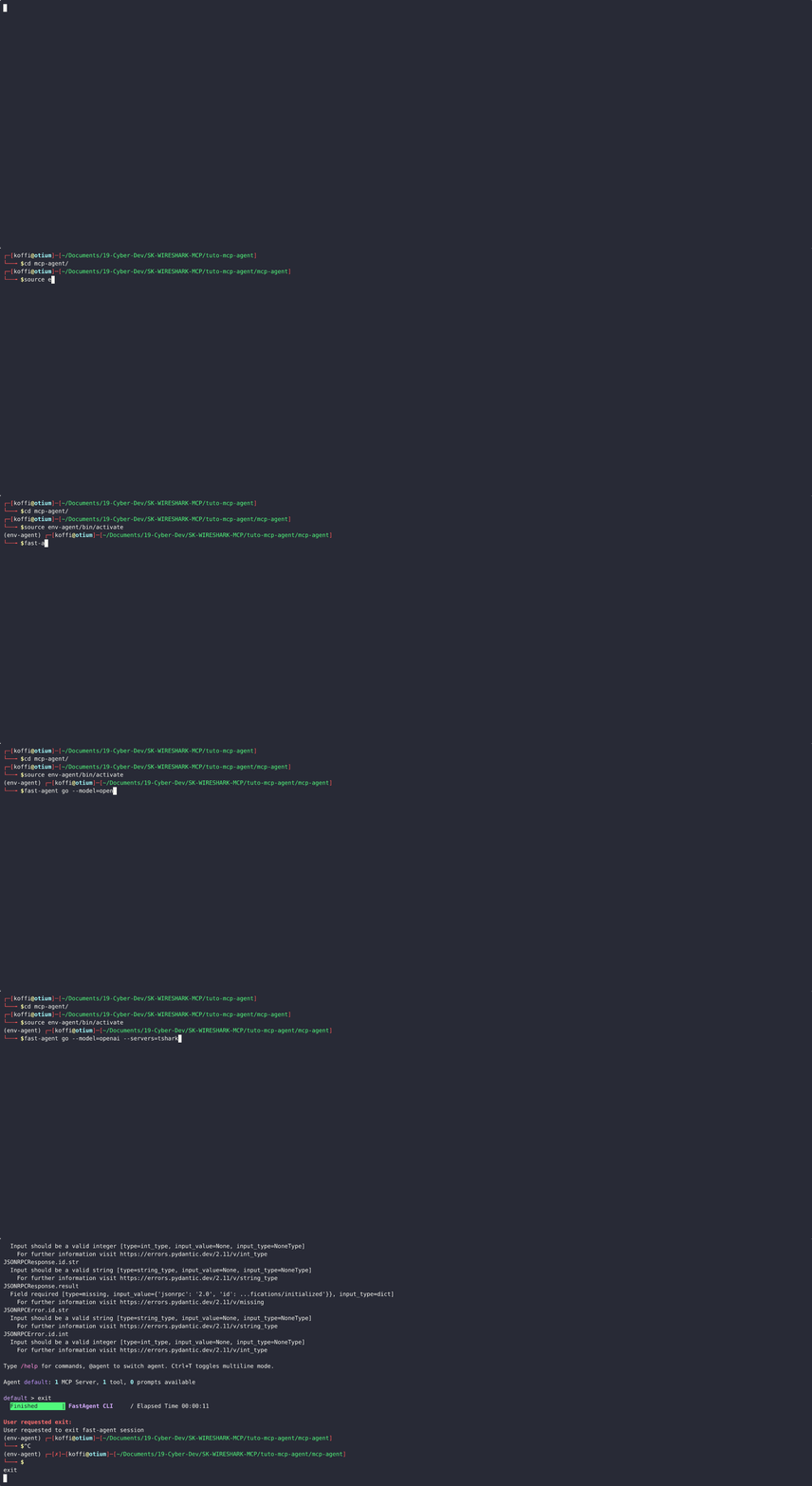
Section 2: Setting Up the MCP Server
Create Project & Install
mkdir mcp-srv-tshark && cd mcp-srv-tshark
mkdir pcaps
python -m venv env-mcp
source env-mcp/bin/activate
pip install fastapi pydantic uvicorn
File: tools.py
import subprocess, json, os, asyncio, shlex
from pathlib import Path

PCAP_ROOT = (Path(__file__).resolve().parent / "pcaps").as_posix()

def _safe_path(fname: str) -> str:
    path = os.path.abspath(os.path.join(PCAP_ROOT, fname))
    if not path.startswith(PCAP_ROOT):
        raise ValueError("Chemin PCAP interdit")
    if not os.path.isfile(path):
        raise FileNotFoundError(path)
    return path

TOOL_DEFS = [{
    "name": "tshark_query",
    "description": "Execute TShark on a pcap file offline",
    "inputSchema": {
        "type": "object",
        "properties": {
            "file":   { "type": "string",  "description": "Name of the pcap file (inside pcaps/)" },
            "filter": { "type": "string",  "description": "TShark display filter (-Y)", "default": "" },
            "limit":  { "type": "integer", "description": "Max packets (0 = no limit)",  "default": 0 }
        },
        "required": ["file"]
    }
}]

async def call_tool(name: str, args: dict):
    if name != "tshark_query":
        raise ValueError(f"Tool {name} non géré")
    file  = _safe_path(args["file"])
    flt   = args.get("filter", "")
    limit = int(args.get("limit", 0))
    cmd   = ["tshark", "-r", file, "-T", "json"]
    if limit > 0: cmd += ["-c", str(limit)]
    if flt:       cmd += ["-Y", flt]
    proc = await asyncio.create_subprocess_exec(
        *cmd, stdout=asyncio.subprocess.PIPE, stderr=asyncio.subprocess.PIPE)
    out_b, err_b = await proc.communicate()
    if proc.returncode != 0:
        raise RuntimeError(err_b.decode("utf-8","replace").strip() or "TShark error")
    frames  = json.loads(out_b.decode("utf-8","replace"))
    return f"{len(frames)} paquets renvoyés pour filtre '{flt}'"
File: server.py
from fastapi import FastAPI, Request
from tools import TOOL_DEFS, call_tool

app = FastAPI(title="TShark MCP Server")
PROTOCOL = "2025-03-26"

@app.post("/mcp")
async def mcp_entry(request: Request):
    payload = await request.json()
    if isinstance(payload, list):
        return [await handle(msg) for msg in payload]
    return await handle(payload)

async def handle(msg):
    if msg["method"] == "initialize":
        return {"jsonrpc":"2.0","id":msg["id"],"result":{
            "protocolVersion": PROTOCOL,
            "capabilities": {"tools": {"listChanged": False}},
            "serverInfo": {"name": "SK-Tshark-Mcp","version": "0.1.0"}}}
    if msg["method"] == "tools/list":
        return {"jsonrpc":"2.0","id":msg["id"],"result":{"tools": TOOL_DEFS}}
    if msg["method"] == "tools/call":
        result = await call_tool(msg["params"]["name"], msg["params"].get("arguments",{}))
        return {"jsonrpc":"2.0","id":msg["id"],"result":{
            "content":[{"type":"text","text":result}],"isError":False}}
    return {"jsonrpc":"2.0","id":msg.get("id"),
            "error":{"code":-32601,"message":f"Unknown method {msg['method']}"}}

if __name__ == "__main__":
    import uvicorn
    uvicorn.run(app, host="0.0.0.0", port=5001)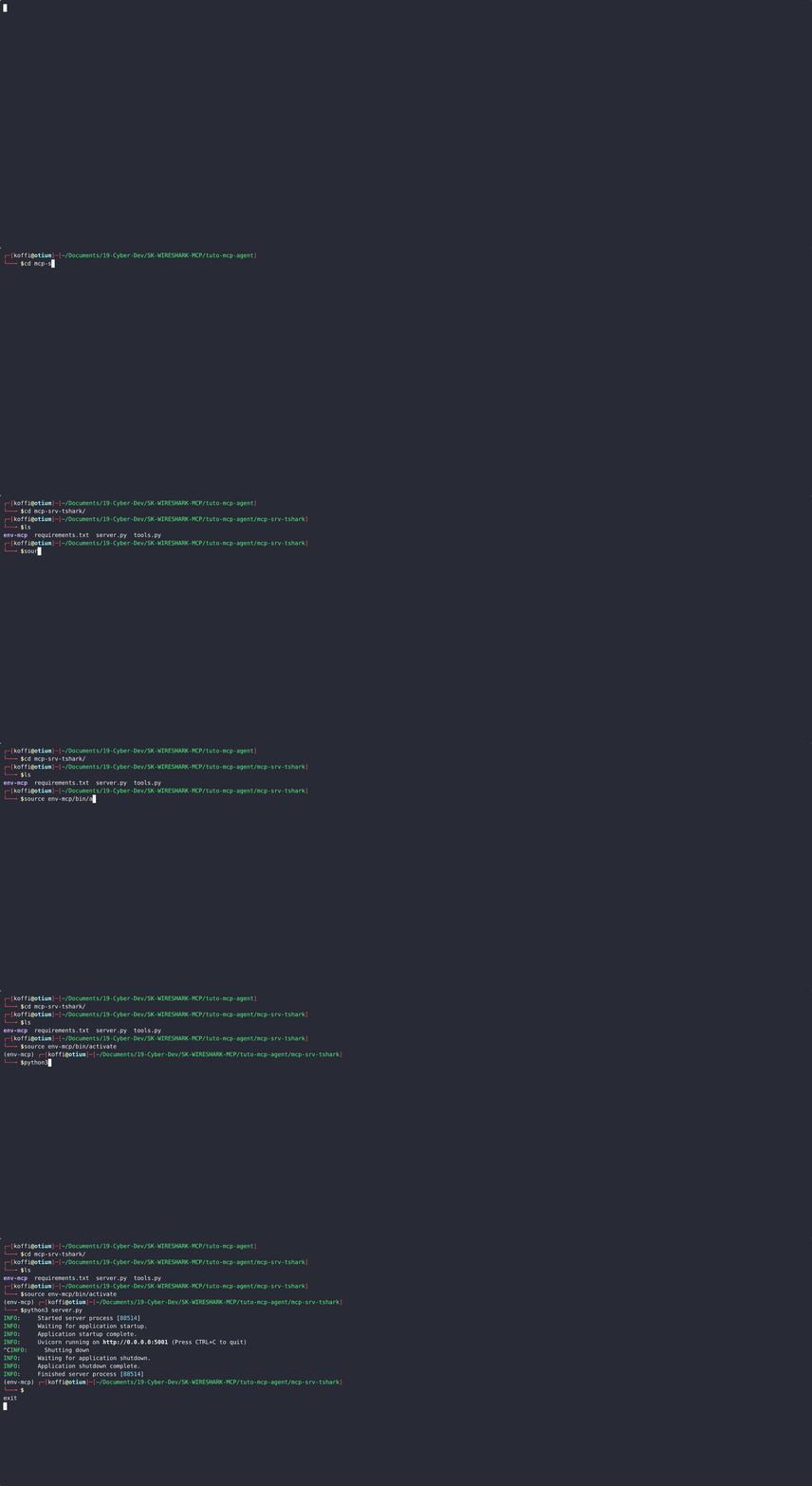
✅ Expected Result
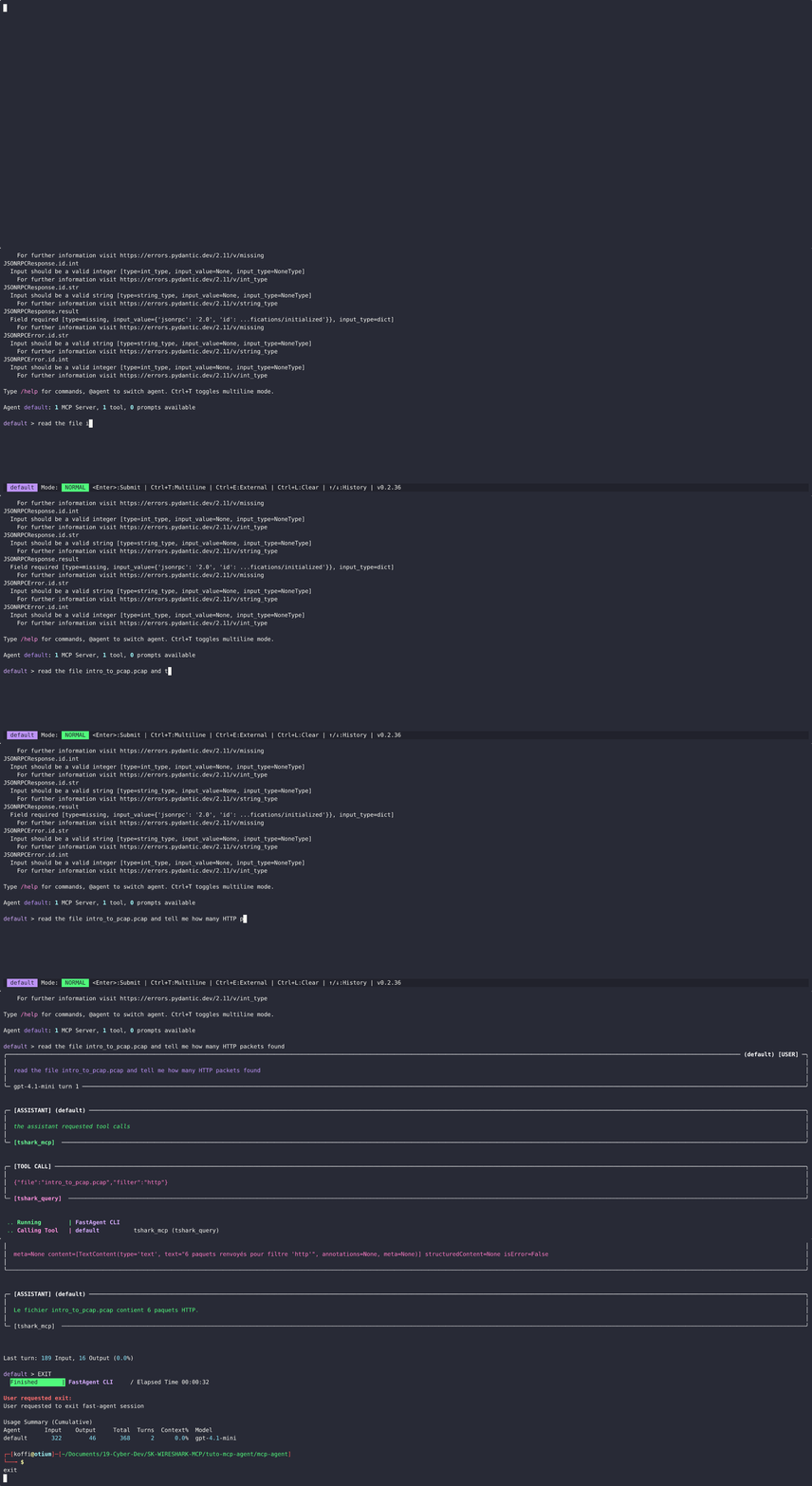
At the end of this tutorial, you’ll be able to ask the LLM something like:
“How many HTTP packets are in sample.pcap?”
And the agent will call TShark via MCP, analyze the file, and return a structured answer — all through natural language.
Mission accomplished! 🚀
Related Posts