[ CYBERSECURITY ]
Beyond VPNs: The Dark Art of DNS and ICMP Tunneling
M.Koffi
JUN 8, 2024 · 3 MIN READ

Holla Amigos, lately I’ve been exploring various methods to bypass firewall-imposed restrictions. In this article, I invite you to join me in examining two popular techniques: DNS tunnels and ICMP tunnels, using the tools Iodine and Ptunnel.
Objective
Set up a simulated network environment where a firewall blocks most traffic — especially HTTP and HTTPS — but allows DNS and ICMP packets. The goal is to bypass these restrictions so a client can access a web server located on a different subnet using unconventional tunneling methods. We’ll use Ptunnel (ICMP) and Iodine (DNS) to establish communication between the client and the web server, bypassing the firewall rules.
Network Topology
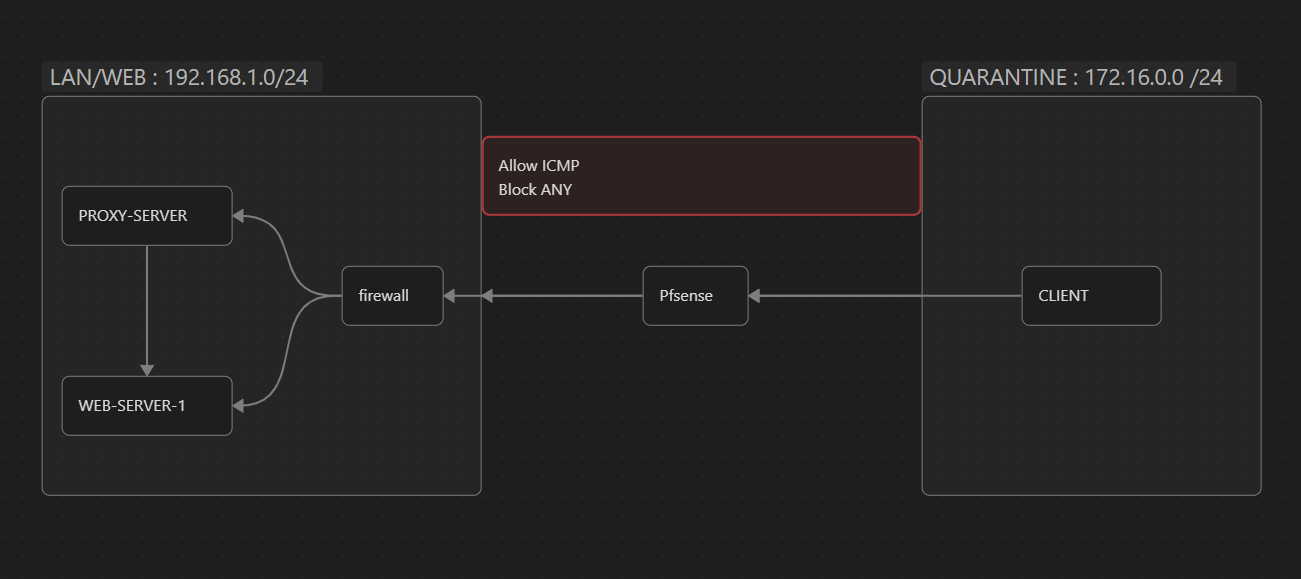
Here is the logical diagram of the lab:
PfSense (Firewall & Router)
- WAN: em0 (DHCP, Internet access via host)
- SERVICES: em1 – 10.10.0.1/24
- OFFLINE: em2 – 10.10.1.1/24
Virtual Machines
| Role | IP Address | OS | Details | Networks |
|---|---|---|---|---|
| Web Server | 10.10.0.2 | Ubuntu | Static IP | Services |
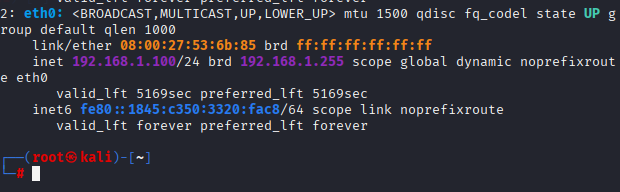
| Client | 10.10.1.3 | Kali Linux | IP via DHCP | Offline |
| Proxy Server | 10.10.0.3 | Kali Linux | Static IP | Services |
| PfSense | See above | PfSense | Main router/firewall | offline/wan/services |

Firewall Constraints
- Client and web server are on different subnets.
- Proxy server and web server are on the same subnet.
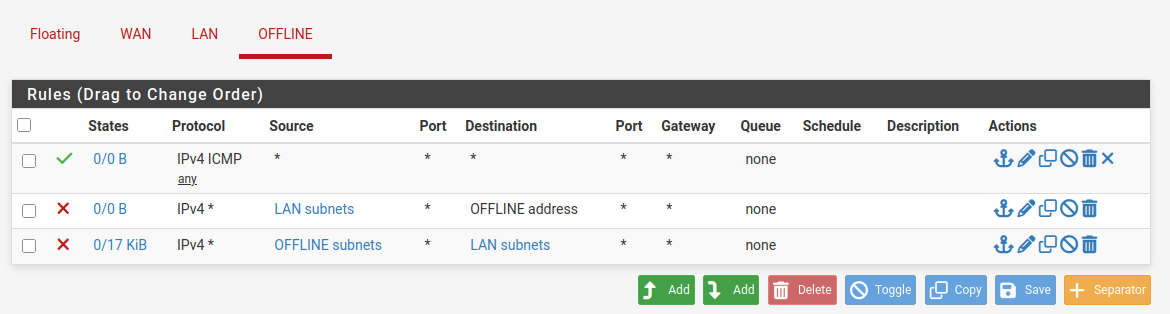
- PfSense blocks all inter-network communications, except ICMP and DNS.
Tools & Configuration
🔹 Ptunnel — ICMP Tunnel
Ptunnel allows TCP traffic to be encapsulated within ICMP packets (useful when only ping is allowed).
Start the server (on the proxy 10.10.0.3):
ptunnel -x sweetkoffiStart the client (on Kali 10.10.1.3):
ptunnel -p 10.10.0.3 -lp 8080 -da 10.10.0.2 -dp 80 -x sweetkoffi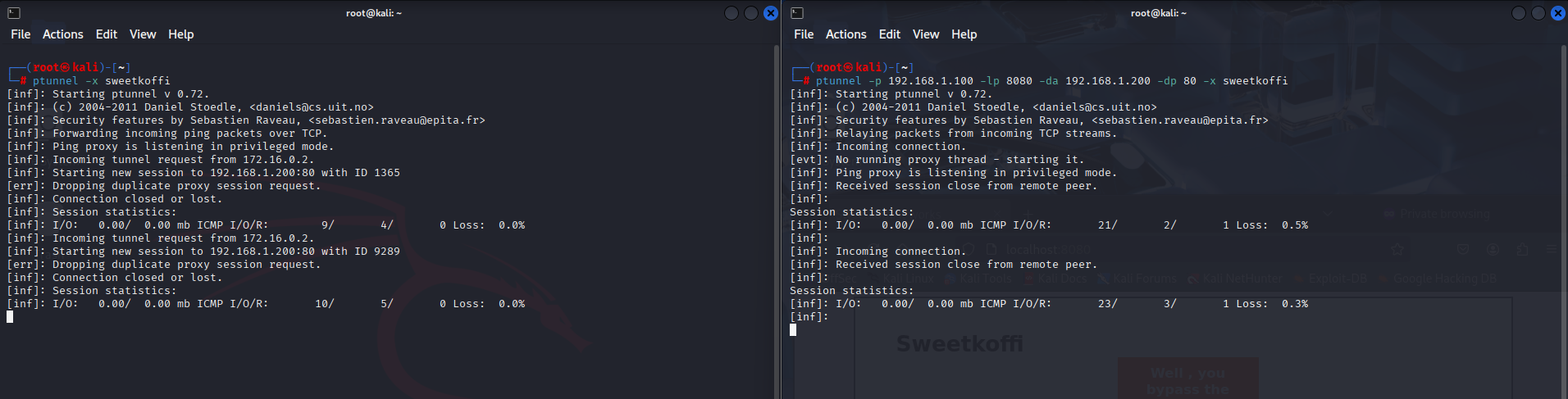
The client can now access the web server via: http://127.0.0.1:8080
🔹 Iodine — DNS Tunnel
Iodine allows IP traffic to be tunneled through DNS queries. Very useful in environments where only port 53 is allowed.
Pre-requisites
DNS Configuration on PfSense — add a Domain Override in the DNS Resolver:
- Domain: tunnel.sweetkoffi.net (whatever you want)
- DNS Server: 10.10.0.3 (proxy)
By adding this DNS override, we enable DNS requests from the client to be answered by our custom DNS server running on iodined.
On the proxy server (Kali 10.10.0.3):
iodined -cP 10.10.1.50 tunnel.sweetkoffi.net -DDOn the client (Kali 10.10.1.3):
iodine -f tunnel.sweetkoffi.netOnce connected, a new network tunnel is established (e.g., dns0) and can be used to route traffic.
As a demonstration, we’ll also establish an SSH tunnel to use the proxy server as a SOCKS proxy:
ssh -N -D 8080 kali@10.10.0.3Then configure your web browser to use a manual proxy setup:
- SOCKS HOST: 127.0.0.1
- PORT: 8080
- SOCKS v4
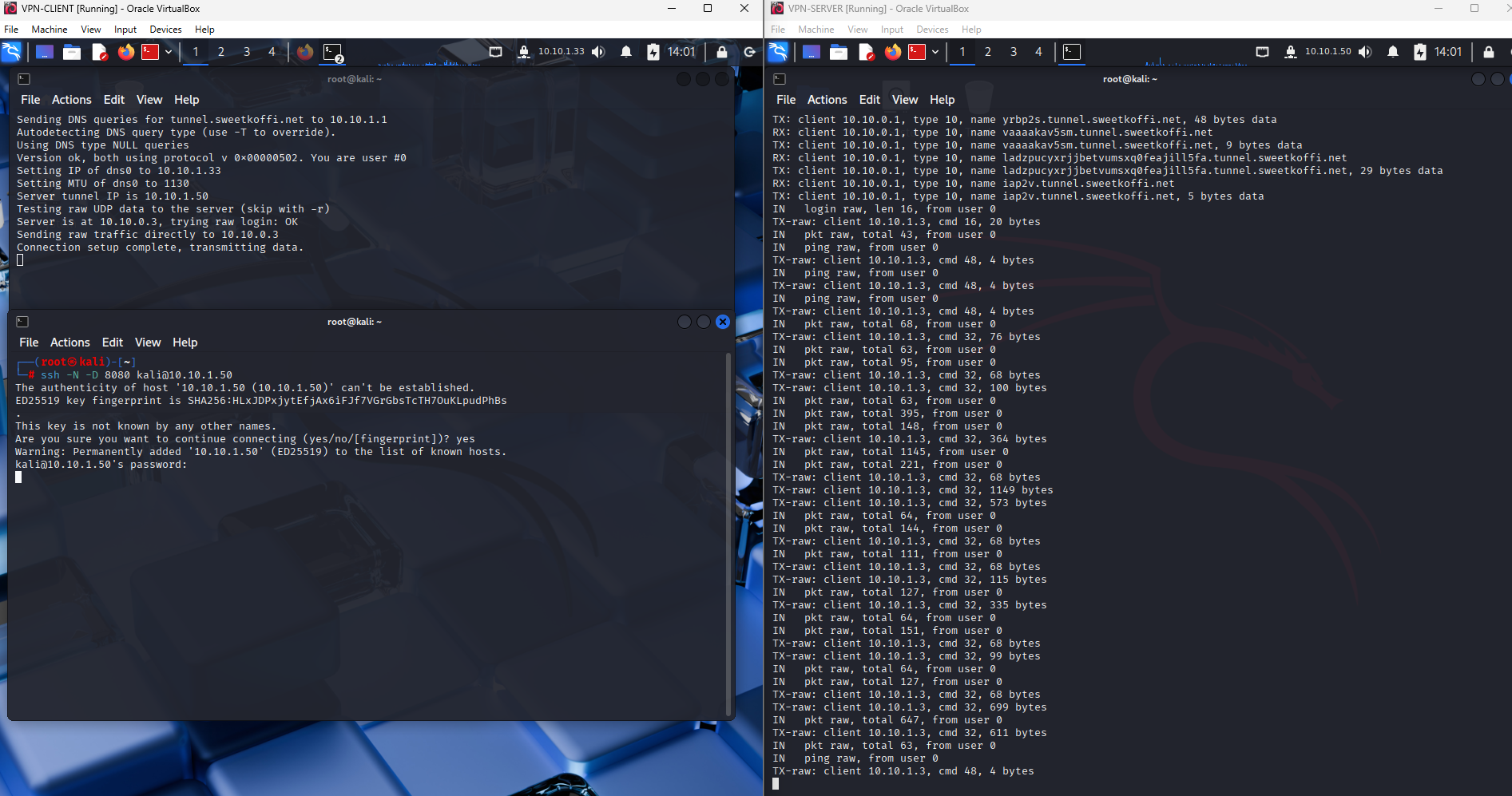
Now all web traffic is forwarded through our proxy server via the DNS tunnel. The firewall can no longer block our HTTP (or other) connections.
Conclusion
This lab demonstrates how to bypass strict firewall rules by using commonly overlooked protocols like ICMP and DNS to establish tunnels. While these techniques have legitimate use cases (e.g., accessing resources in restricted environments), they also pose serious security risks if not monitored properly.
Related Posts